SHERAeasy model
CAD software for dental technology
 Regarding the new add-on
CAD software for dental technology
The new model builder software SHERAeasy-model: design high-precision models with just a few clicks.
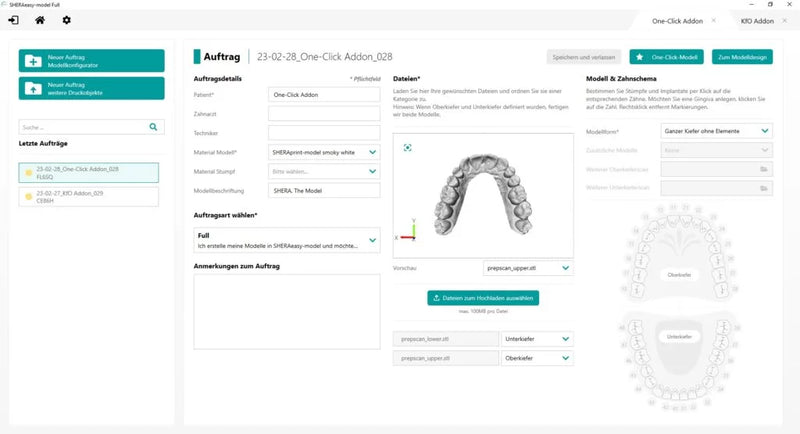
Thanks to standardized processes and an intuitive user interface, SHERAeasy-model makes it easy and quick to create optimal print data sets. No time-consuming and costly training is required. Newbies, professionals, career changers - everyone can become a top model maker with our new model builder. Relaxed and efficient design is now possible, anytime and anywhere. Whether in the laboratory or in a flexible home office in the countryside. Get started now in modern, digital dental technology with the CAD software SHERAeasy-model!
About our model builder SHERAeasy-model
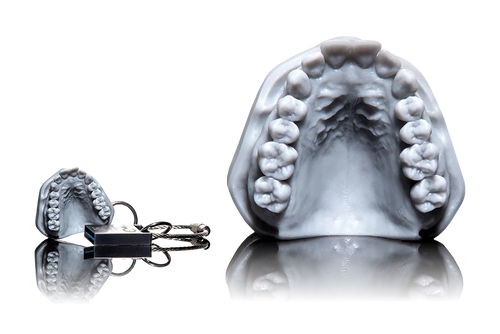
Gamechanger for the digital plaster kitchen
- easy and intuitive to use
- Step-by-step through the workflow
- Undo function and check for meaningfulness
- automated processes
- saves a lot of time – for more efficient work
Fast CAD software for model design
- available in three versions
- optimally positioned prep boundaries
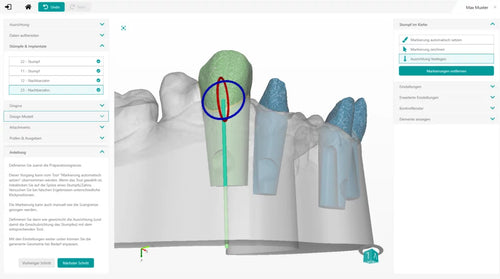
- Stump detection at one click
- patented stump geometry SHERAprint Cone included
- extensive implant library
- Model data can be exported / saved locally*
- expandable with additional parameters and model materials*
* included in the full version
Frequently Asked Questions
One click on this button and the design for the situ, opposing bite and control models is complete. Even with one-click models, subsequent adjustments can be made to the fully designed model in the SHERAeasy model software.
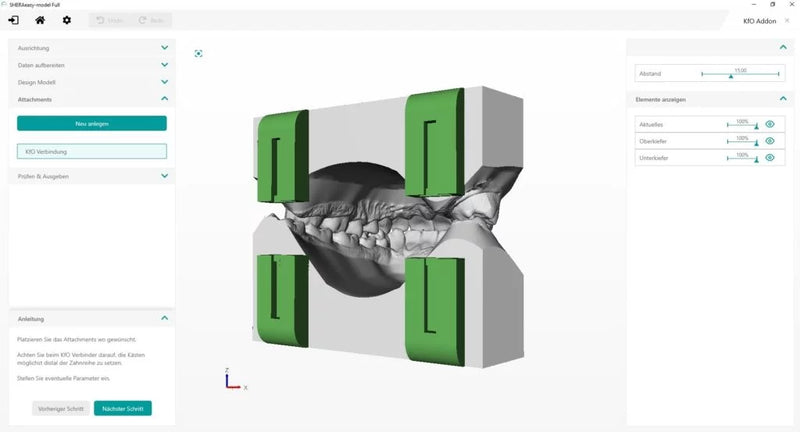
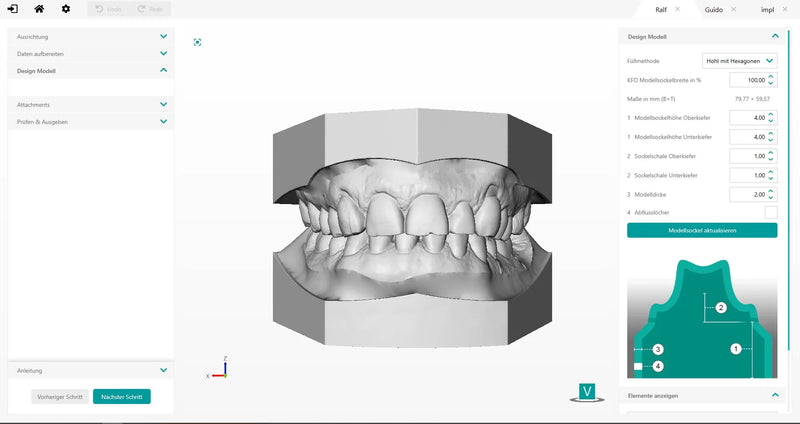
This add-on simplifies and automates the design of parametric model bases for orthodontics. If desired, the software also automatically adds the brackets for connectors for Dr. Hinz orthodontic model trays to the designed models.
Save valuable time and quickly and easily design perfect models specifically tailored to the requirements of orthodontic technology. With the Modelbuilder SHERAeasy-model KFO, you can design an excellent model for 3D printing in just a few minutes and 5 steps. Once designed, you can use this as a basis to adapt and print a planning or working model from the diagnostic model.
With SHERAeasy-model KFO, there is an explanation of the procedure for each step. If something is unclear, a look at the control box will help. It describes what needs to be done. The software constantly checks whether the steps in the process are plausible, warns of errors, and provides correction instructions. If something needs to be added or changed to the model later, it can be easily implemented. You can jump back to any point in the design process at any time.
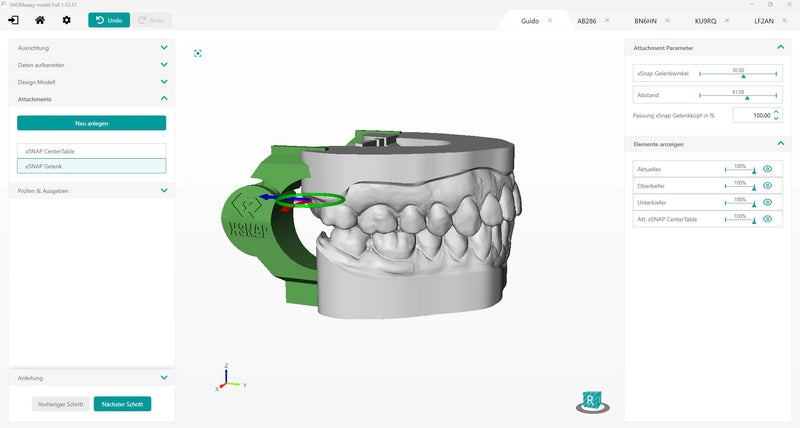
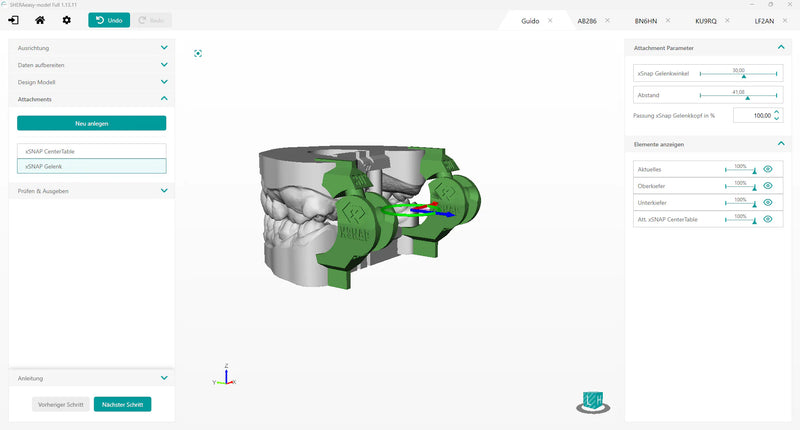
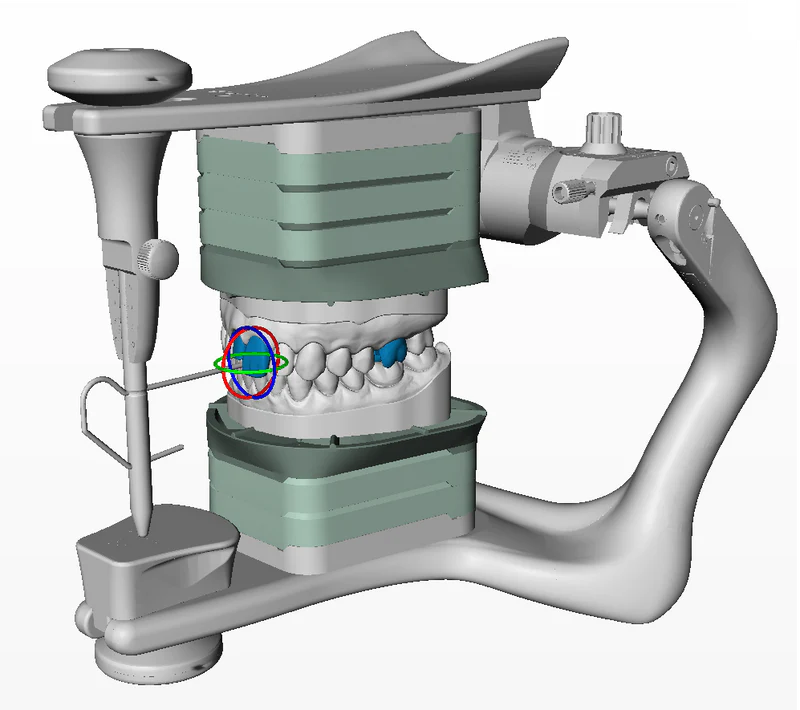
xSNAP is a 3D ball-joint articulation system that, unlike conventional clip-flap articulators, enables precise protrusion, laterotrusion, and mediotrusion in addition to simple opening and closing movements. xSNAP is compatible with partial and full models and supports eight condylar path inclinations from 10° to 45° in 5° increments. The default average setting is 30°. Two incisal tables, one flat and one guided, are also included. These can be positioned intraorally if desired. xSNAP can be easily selected during model construction and attached to the maxillary and mandibular models. Subsequently, the models are printed with the corresponding joint components. Users are not limited in their choice of model resin and 3D printer; the additional material consumption is extremely low. Immediately after post-processing, the ball head on the maxillary model is simply clicked into the guide element on the mandibular model via a groove, and dynamic occlusion control is then possible.
Thanks to the xSNAP 3D joint, most models from the 3D printer no longer need to be mounted in a conventional articulator. xSNAP is the world's first 3D-printable articulation system for dental models that allows the simulation of protrusion and laterotrusion without additional aids.
The unique xSNAP ball-joint system can be attached to the model in SHERAeasy-model and easily co-produced with the SHERAprint printer. This simplifies the completion of restorations.
From now on, you can transfer your designed models directly from SHERAeasy-model for digital articulation in the AxioPrisa (AXP) or AxioSnapMount (ASM) from SAM. You have the choice of whether you want to use a facebow or the average value method for articulation. The interface optimizes the digitally articulated models in SHERAeasy-model for 3D printing, so you can use the familiar "honeycomb infill method" inside the model. In addition, both die and master models can be articulated directly.
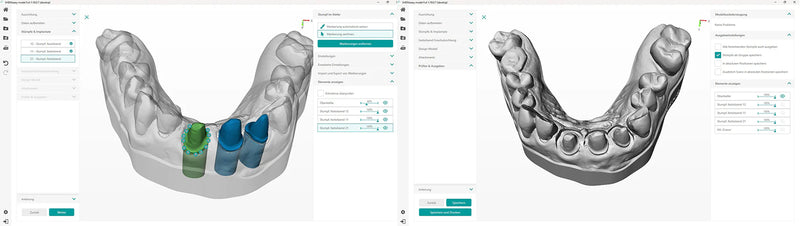
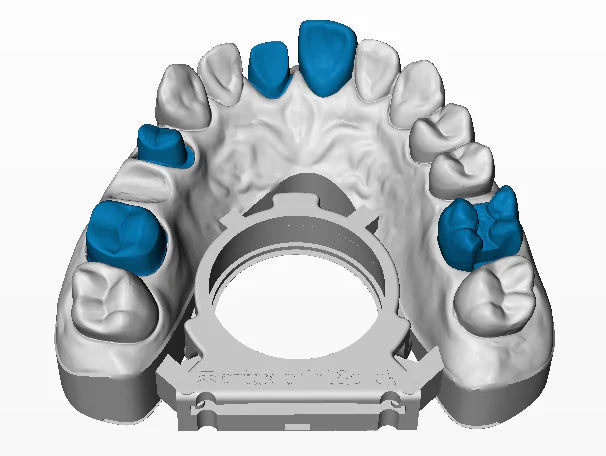
This add-on allows for the creation of a new type of dies with SHERAeasy-model: In addition to the proven SHERAprint-cone, there are now dies that are permanently integrated into the model. These are defined at their preparation margin as usual but then remain firmly connected to the model during output. A circumferential relief facilitates the checking of the marginal gap. Due to the parallel-walled relief, the new die shape can also be produced with removable gingiva, and additional SHERAprint-cone dies or adjacent teeth can be combined as desired. The output of separate dies for fit control in addition to the newly designed model is also possible.
Controlled fit: The add-on also allows for the creation of a control model with just a few clicks – without having to create an additional order. A region definition and the adjustable relief of the preparations are sufficient to effortlessly generate an additional small control model for output.
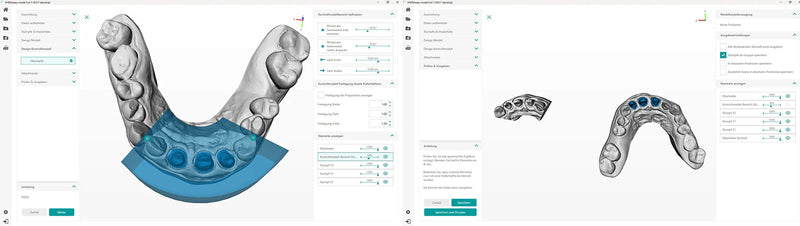
Through our partnership with Amann Girrbach, Print&Click is now available as an add-on for SHERAeasy-model PRINT and FULL customers. This allows model pairs to be prepared directly for the articulator, plaster-free and without changing the usual design process.
Positioning is done according to the anterior dentate or edentulous arch, the model pair height can be selected as usual in 40 or 60 mm, and the offset of the spacer plates can be adjusted with a slider.
All design options of SHERA.The model. are retained.
SYSTEM REQUIREMENTS
- WINDOWS 64 BIT processor
- DirectX 11 supported
- 8GB RAM
SHERAeasy-model implant library
For our CAD software SHERAeasy-model UPLOAD, all manufacturers selectable in the software are available, others on request.
The following libraries are currently available for SHERAeasy-model PRINT and FULL:


Choose Your License
Upload-Tool
- Upload intraoral scan data for printing at SHERA
- Upload design order for printing at SHERA
- Upload material selection for printing at SHERA
- Design your own model, upload it for printing at SHERA
- Model data storable locally
- Open to any further 3D printing workflow
SHERAeasy-model print
- Upload intraoral scan data for printing at SHERA
- Upload design order for printing at SHERA
- Upload material selection for printing at SHERA
- Design your own model, upload it for printing at SHERA
- Model data storable locally
- Open to any further 3D printing workflow
SHERAeasy-model full
- Upload intraoral scan data for printing at SHERA
- Upload design order for printing at SHERA
- Upload material selection for printing at SHERA
- Design your own model, upload it for printing at SHERA
- Model data storable locally
- Open to any further 3D printing workflow
Rental options
SHERAeasy-model interfaces
Team play for dental workflow. Connect your CAD software SHERAeasy-model with OWLLAB and benefit from the connections between intelligent interfaces between order management, CAD/CAM software and billing.

Video Tutorials
Schritt-für-Schritt Anleitungen für Ihren Workflow
*Die Tutorials wurden mit Hilfe einer künstlichen Intelligenz erstellt.
Playlists
Here you can find the SHERAeasy-model videos in Italian and French.